🎯 The Challenge
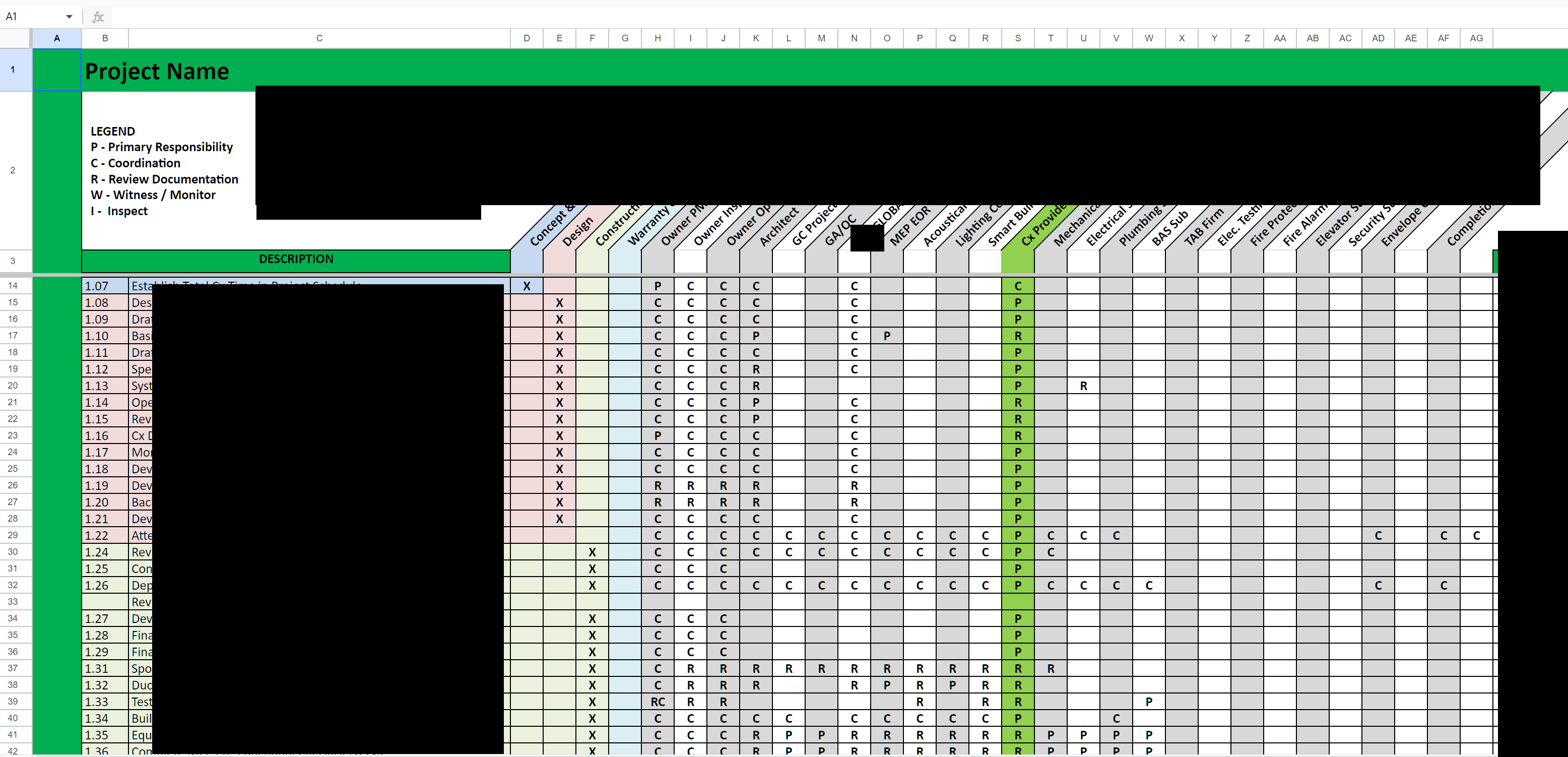
Responsibilities for 600+ tasks were managed in a static Excel matrix. Every time a person changed role — new CX Provider, new Owner PM, new GC PM — the team had to touch hundreds of cells, manually, across the entire matrix. The P/C/R/W/I responsibility model (Primary, Coordinator, Reviewer, Witness/Monitor, Inspector) was preserved by hand. There was no way to assign people at the role level and let the system distribute them — everything was wired person-to-task, the hard way.
- Assign people to roles once, distribute them automatically to all related tasks
- Reassign responsibilities across the entire project by changing a single role assignment
- Preserve the auditable P/C/R/W/I responsibility model on every task
- Build a scalable engine where responsibilities are driven by role definitions, not manual cell edits
⚖️ Before vs After
The core architectural shift: decoupling roles from people. Tasks reference roles. People are assigned to roles. The automation does the wiring.
- 600+ rows in a static spreadsheet
- People wired directly to tasks, cell by cell
- Role change = hundreds of manual edits
- No single source of truth for "who is in which role"
- P/C/R/W/I maintained by hand on every task
- High error rate, hours of work per change
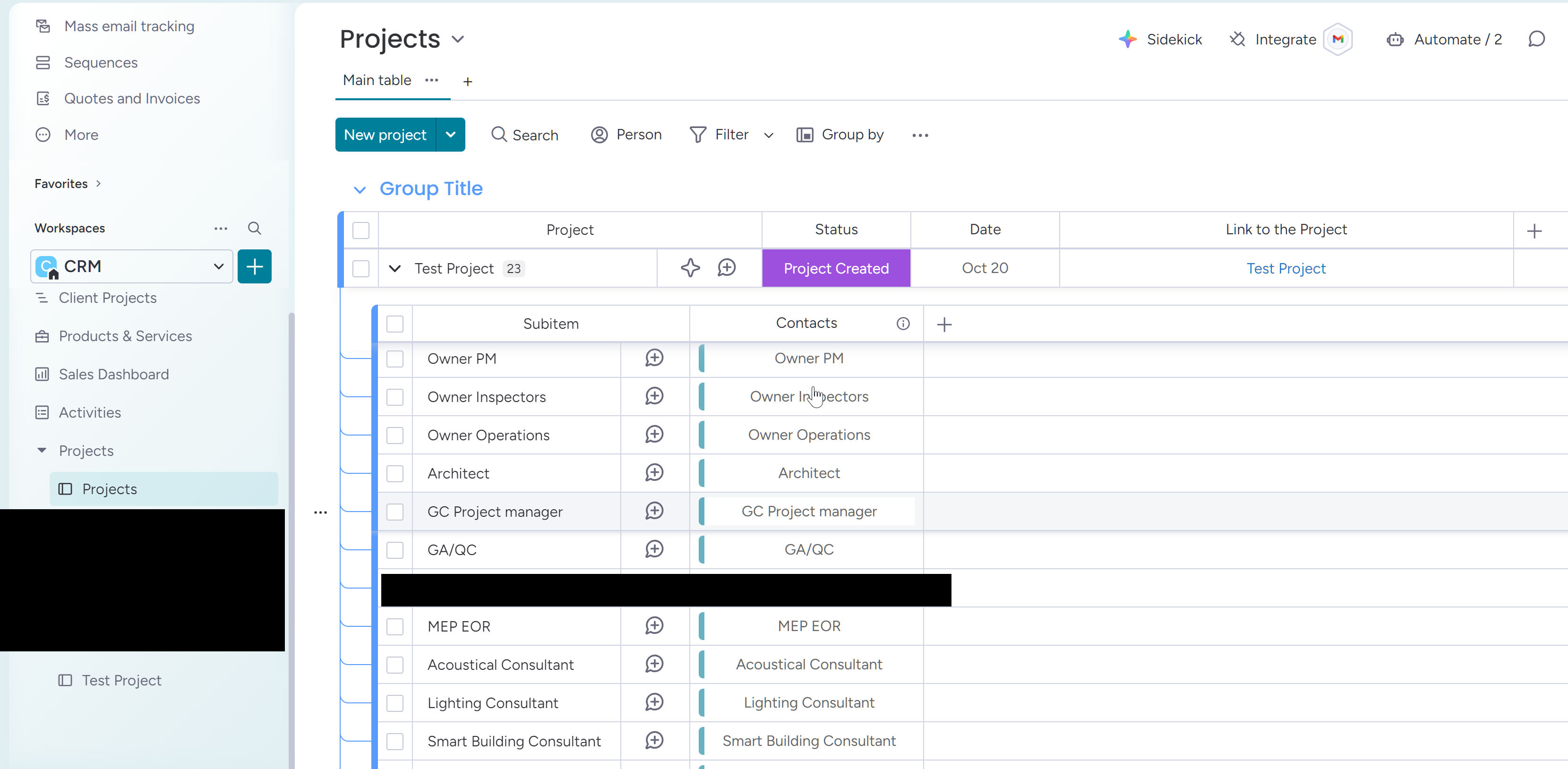
- Roles defined once on the Main Project Board
- People assigned to roles, not to tasks
- Role change = one edit, cascades to all 600+ tasks
- Main Project Board is the source of truth
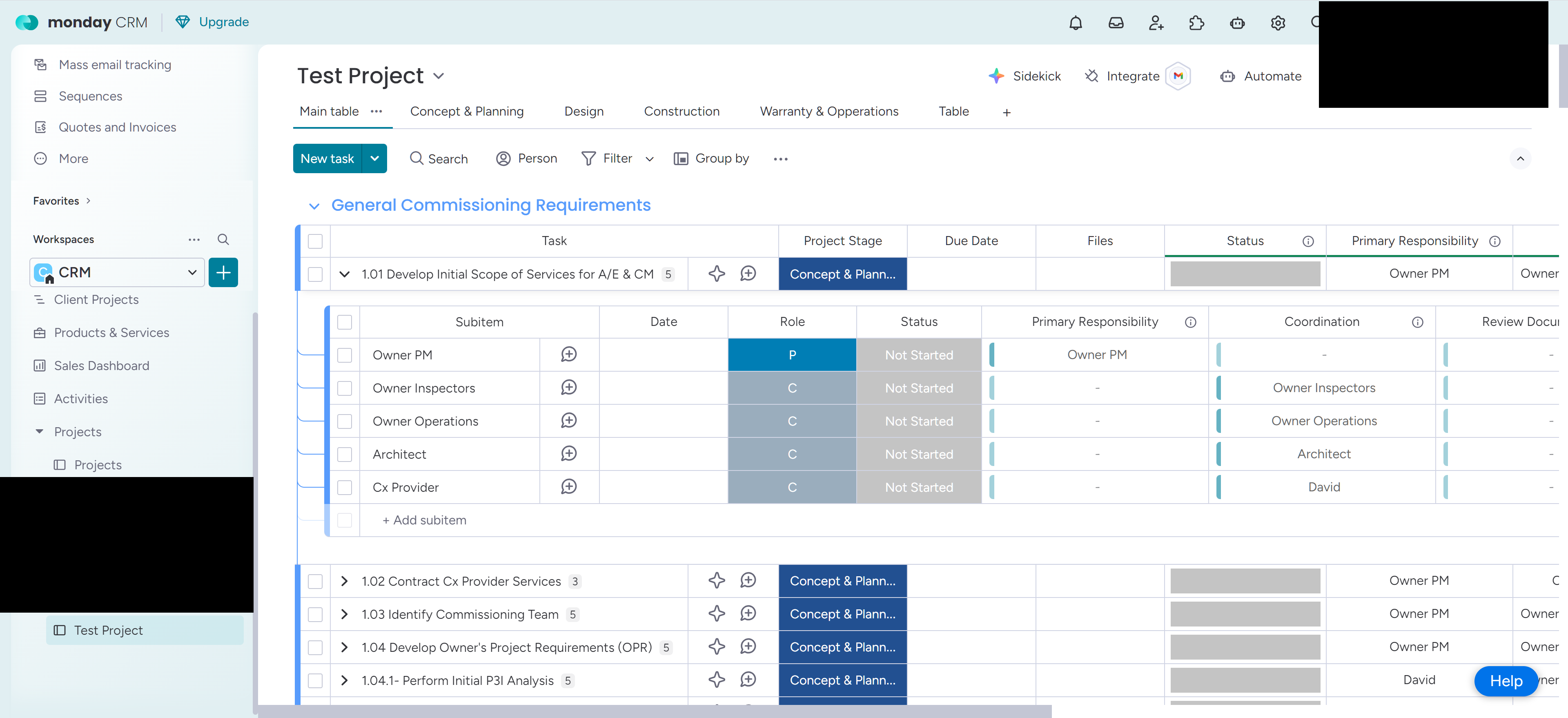
- P/C/R/W/I encoded in the template, applied automatically
- Minutes instead of hours, no manual editing required
🧩 The Solution
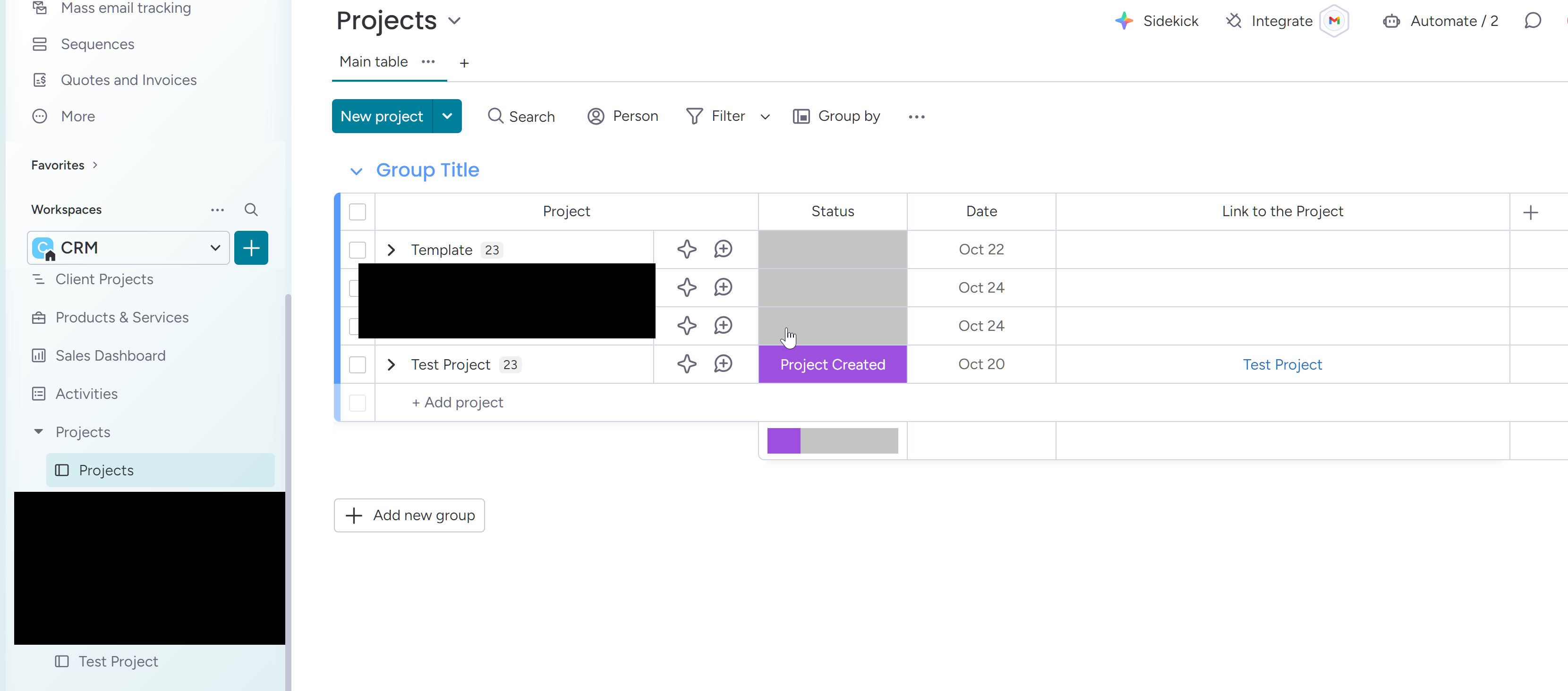
Two Monday.com boards plus two Make.com scenarios form the entire engine: one board defines roles per project, one board holds the task template, one scenario creates and populates execution boards, and one scenario handles role reassignment across the entire project.
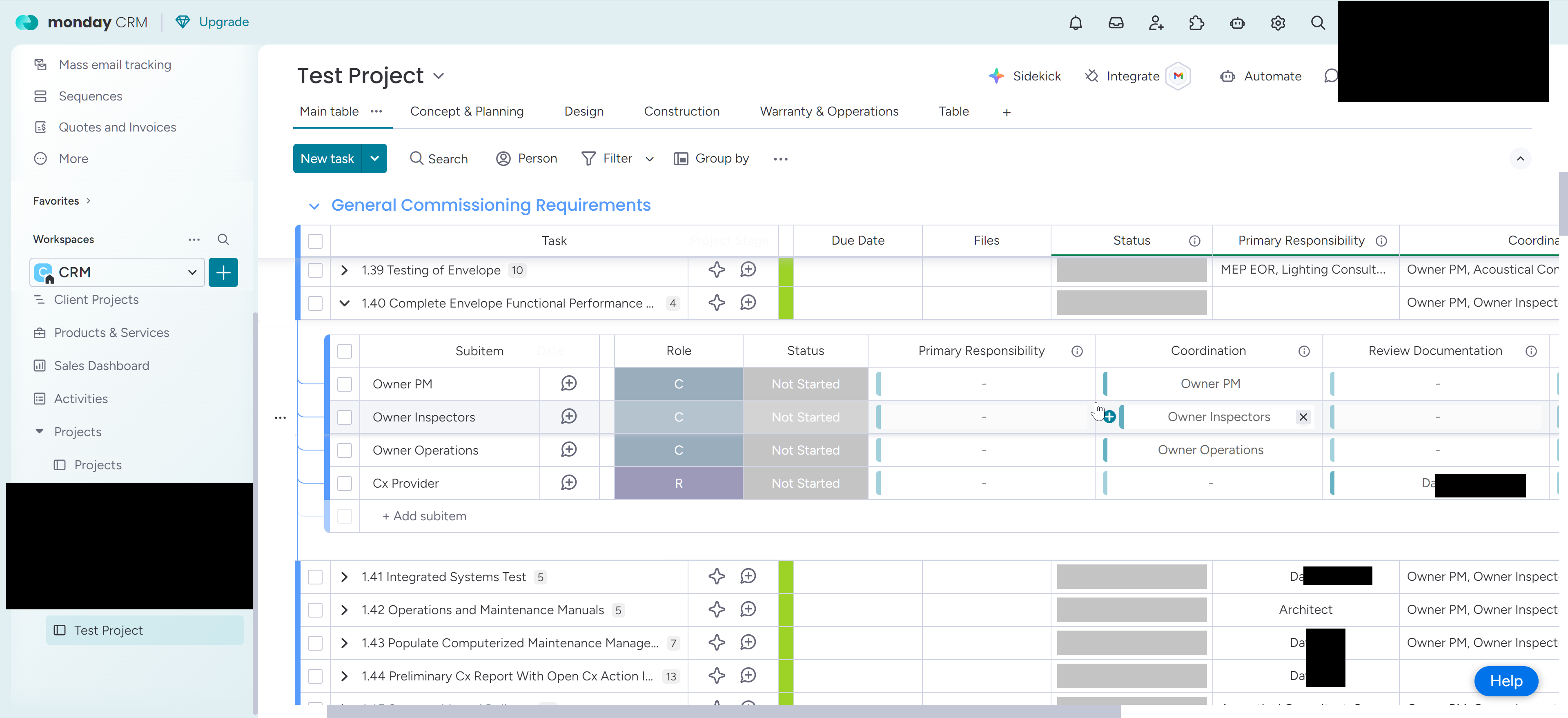
- A status column (e.g., Create project, Reassign owners) that drives automation
- Subitems for the 10–12 key roles: Owner PM, Owner Inspectors, CX Provider, Architect, GC PM, various subcontractors and specialists
- People/contact columns where one person is assigned per role for that project
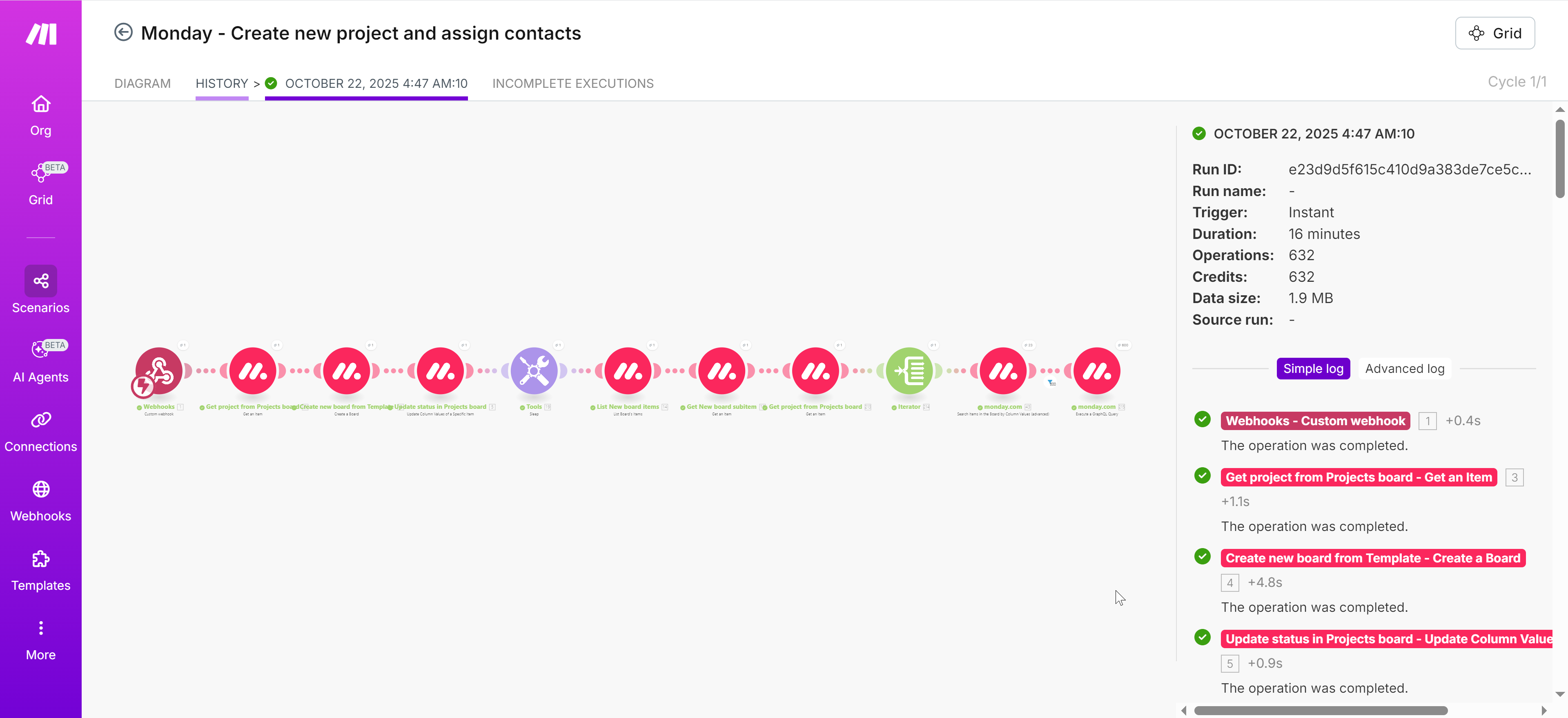
- Creates a new project execution board from the template (all 600+ tasks included)
- Renames the new board to match the project name
- Reads role assignments from the project's subitems on the Main Board
- Iterates through every task and, for each role marked P/C/R/W/I, writes the right person into the corresponding owner column
- Completes with a fully prepared execution board where all 600+ tasks have the right people assigned, per responsibility type, with zero manual editing
- Reads the updated role assignments on the Main Board (new Owner PM, new CX Provider, etc.)
- Locates the corresponding execution project board previously created from the template
- Scans all tasks and subitems where each role appears, in every P/C/R/W/I column
- Updates the people/owner columns to the new person for that role and responsibility type, everywhere it appears
🧭 The P/C/R/W/I Responsibility Model
The original P/C/R/W/I legend from the legacy spreadsheet is preserved end-to-end, so the team's existing language and audit model carry over without retraining.
Because roles (Owner PM, CX Provider, etc.) are decoupled from people and linked via automation, changing who occupies a role is fast and safe — the responsibility model itself stays stable. Each task clearly displays who does what. Progress can be aggregated by group or role for leadership-level reporting.
🛠 Tools & Stack
📈 Results & Impact
- Massive time savings — a 600+ row manual spreadsheet replaced by a fully automated, role-driven engine.
- Manual errors eliminated — no more cell-by-cell edits when people change roles. The system does it.
- Define once, apply everywhere — one change in the Main Project Board updates responsibilities across the entire execution board.
- Transparent accountability — every task shows clear P/C/R/W/I assignments, improving communication and audit-readiness.
- Scalable architecture — new projects, new roles, or new stakeholders can be added without reworking the matrix.
🖼 Screenshots