🎯 The Challenge
The client was caught in a familiar trap: structured data lived in Airtable, but every document had to be hand-built in Google Docs, manually shared with the team, manually approved, then manually copied back into Airtable for tracking. Lots of copy-paste, lots of stale records, lots of "wait, which version is approved?"
Goals:
- Create Google Docs directly from structured Airtable records
- Notify the team in Slack with direct links to new documents
- Manage content approval inside Google Docs itself
- Automatically parse approved content and sync it back to Airtable
🧩 The Solution
A closed-loop architecture where data flows out from Airtable into a Google Doc, gets shaped and approved there, then flows back into Airtable as structured records — with Slack notifications keeping the team aligned along the way.
Airtable Main
→
Google Doc
→
Approval in Doc
→
Airtable Approved
↻ Approved records link back to the Main record — closing the loop.
01
Airtable as the central database
The client's existing Google Sheet was migrated into a structured Airtable base
with two linked tables:
- Main table — source records and document generation triggers
- Approved table — final, approved content blocks linked back to their source
02
Template-based Google Doc creation
A Google Doc template was created and stored in a designated folder. In Airtable,
a user ticks a checkbox to request a new document, which triggers a Make.com
scenario that:
- Creates a new Google Doc from the template
- Inserts the relevant data from the Airtable record
- Updates the Airtable record with the new document's link
03
Slack notifications for team visibility
The same automation sends a Slack message with the new Doc's link to a designated
channel. The team is informed instantly and can start reviewing without anyone
having to remember to share anything.
04
Custom Google Apps Script — document actions
Custom code
Two custom scripts were added to the Google Doc template, extending Docs beyond
what no-code tools can do:
Custom menu — "Add block template"
Adds a custom action menu to the Google Docs UI, letting users insert
predefined text blocks into the document with one click. Ensures consistent
structure and wording across every doc.
Parse & send approved blocks
Scans the document for content blocks marked with "Approved: Yes",
packages only those sections, and sends them via webhook to Make.com for the
next stage.
05
Make.com webhook & Airtable sync — closing the loop
Make.com receives the parsed content via webhook and:
- Creates a new record in the Approved Airtable table
- Links it back to the source record in the Main table
🛠 Tools & Stack
Orchestration
Make.com (Integromat) — document creation, webhook handling, Airtable sync
Custom scripting
Google Apps Script — custom Docs menu, block insertion, parsing logic
Database
Airtable — Main + Approved linked tables as the source of truth
Document workspace
Google Docs — template-based creation, in-Doc approval workflow
Team visibility
Slack — new-document notifications with direct links
📈 Results & Impact
- Automated document creation from Airtable — manual effort and copy-paste errors significantly reduced.
- Better team communication — Slack notifications put the right Doc in front of the right people instantly.
- Structured approval workflow — only content explicitly marked approved gets pushed back into Airtable.
- Data integrity preserved — Airtable always reflects the current approved content, no manual reconciliation needed.
- Extensible by design — the custom Apps Script foundation can be expanded with new menu actions, validation rules, or parsing logic without rebuilding the pipeline.
🖼 Screenshots
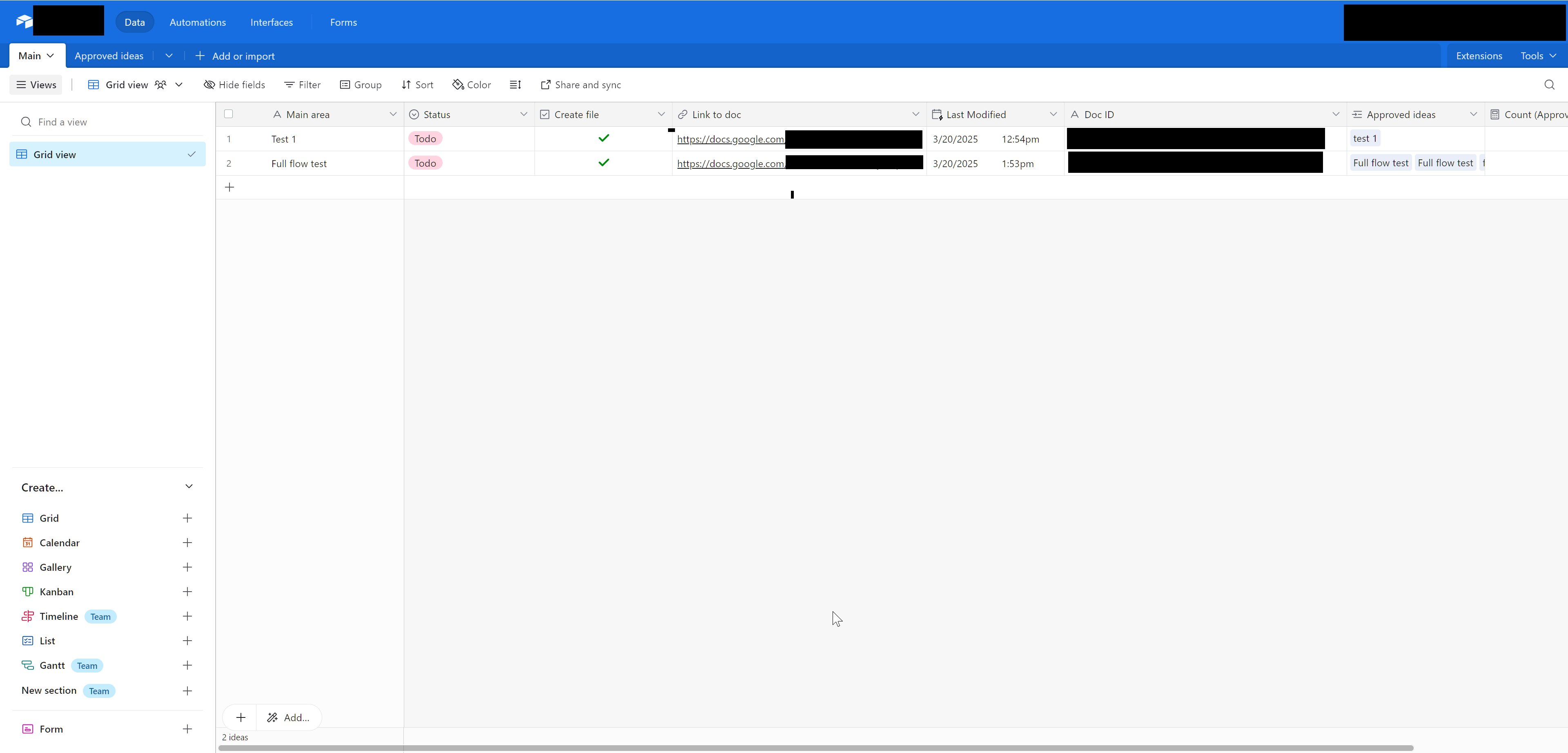
Airtable Main table — source records with the "create doc" trigger
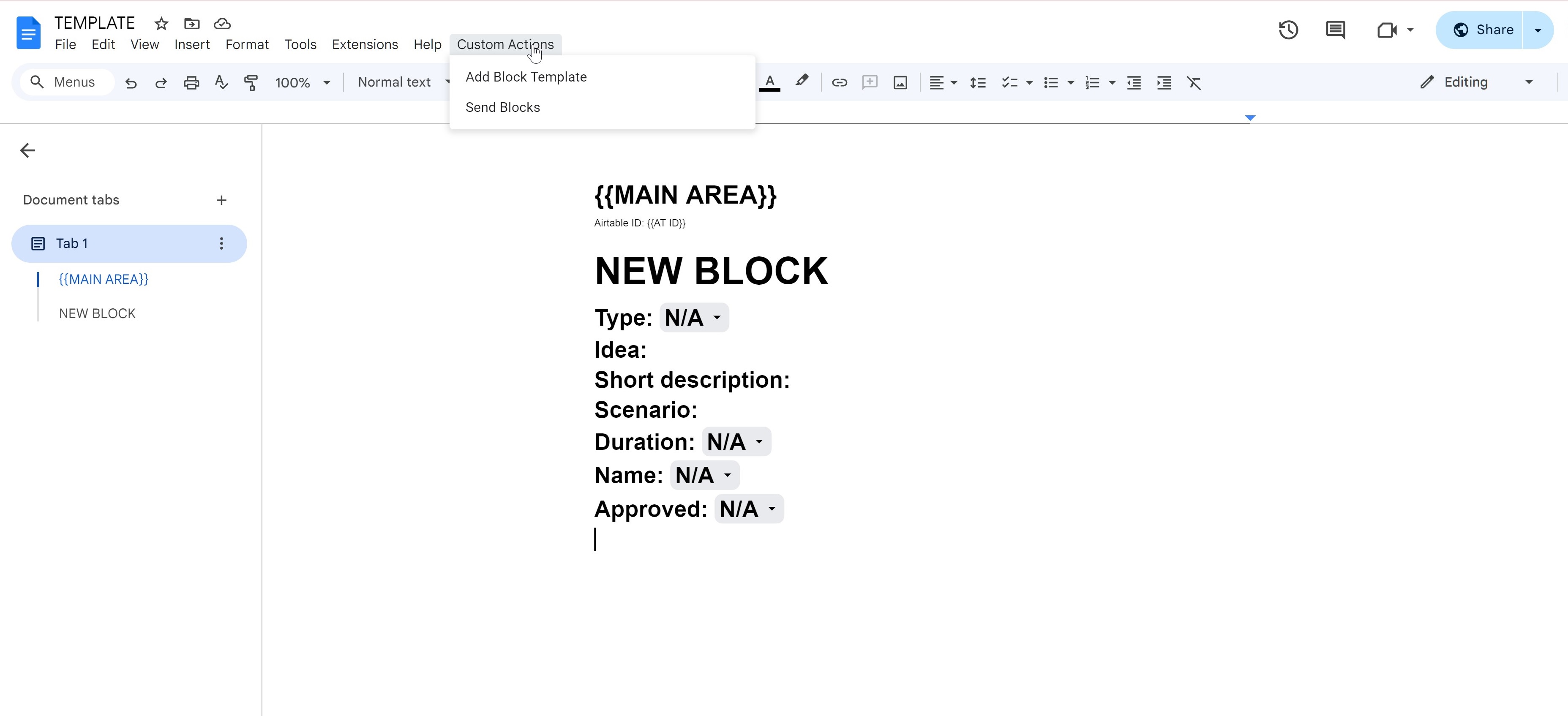
The Google Doc template that every new document is built from
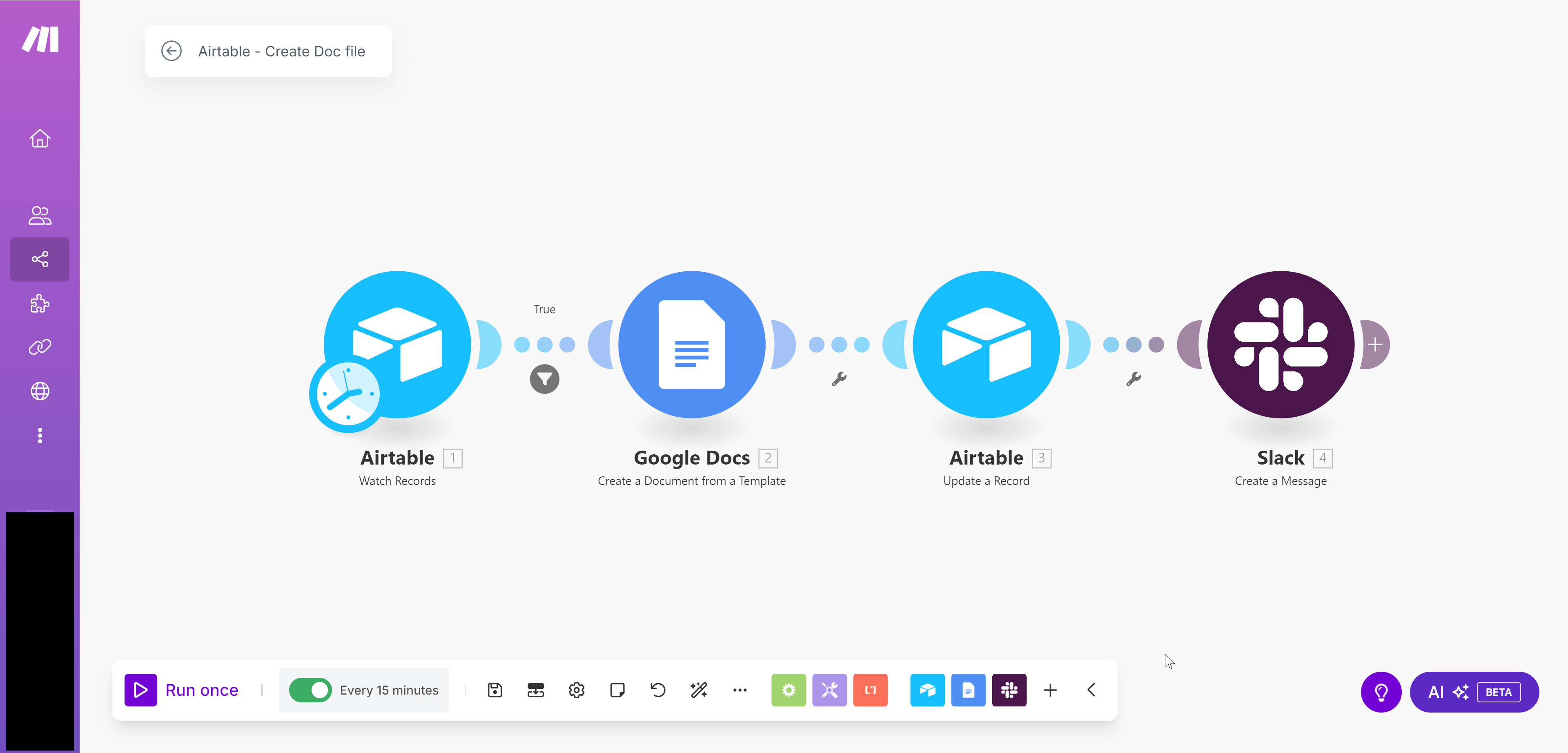
Make.com scenario — creates the Doc, links it back to Airtable, notifies Slack
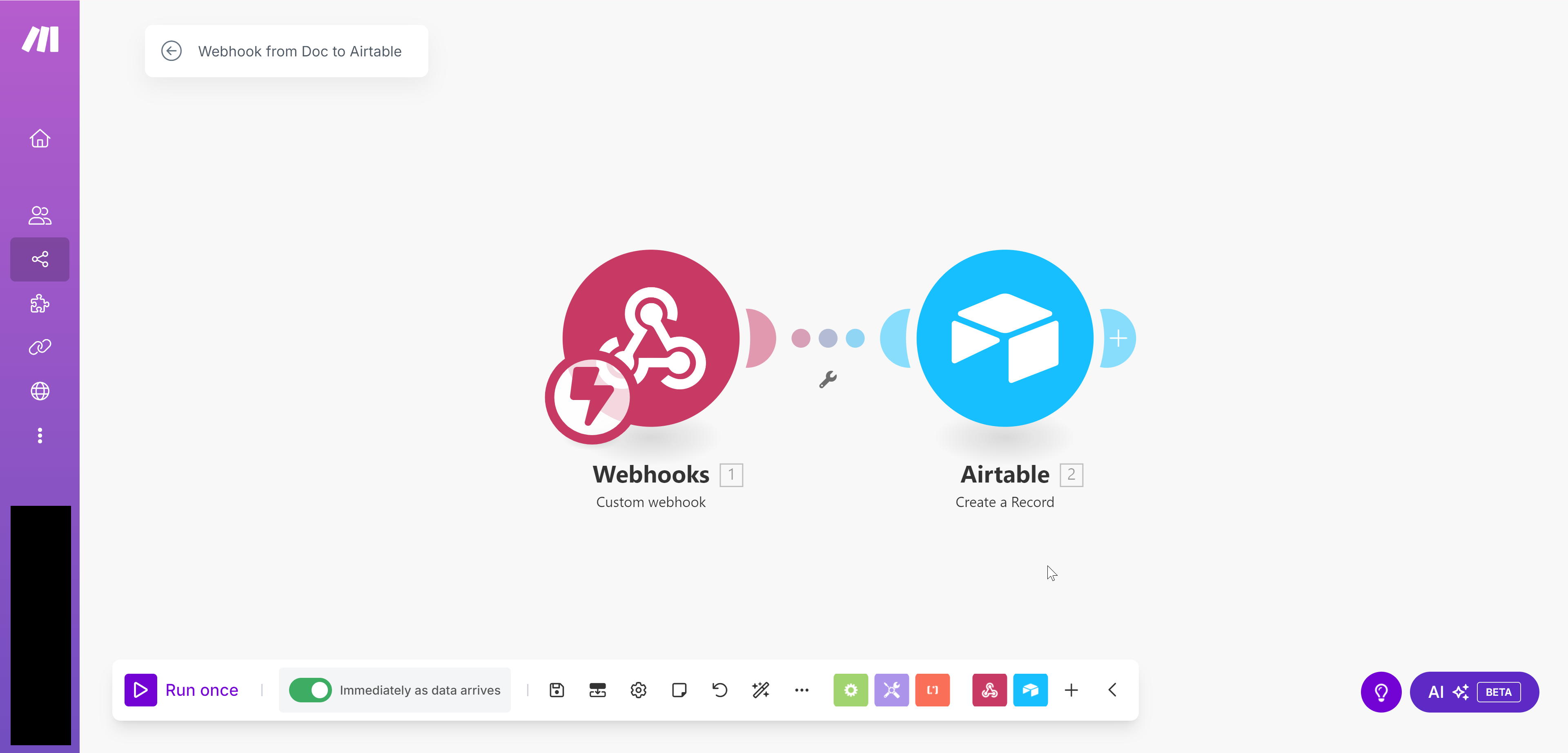
Catch webhook — receives parsed approved blocks and syncs to Airtable
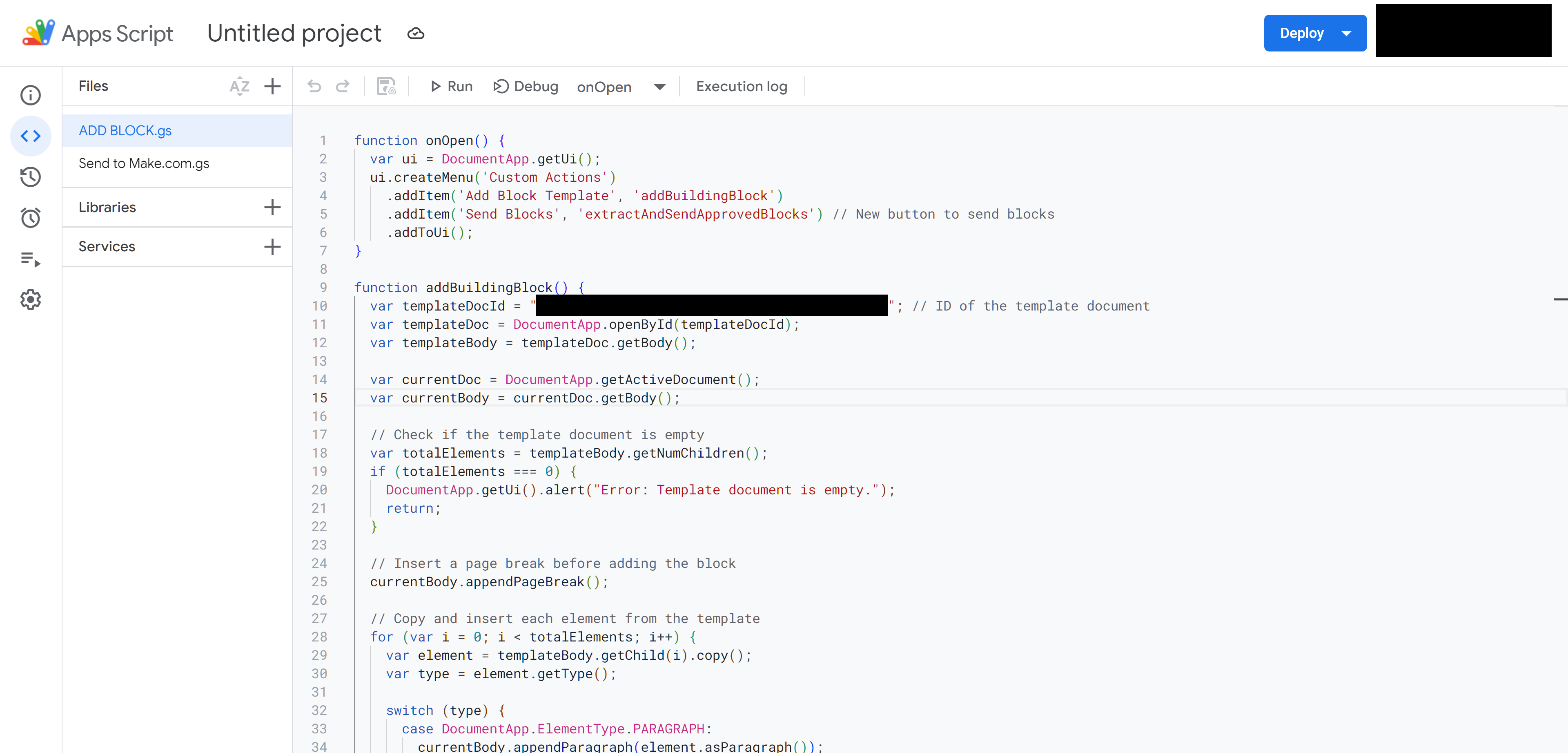
Google Apps Script — custom menu for inserting predefined content blocks
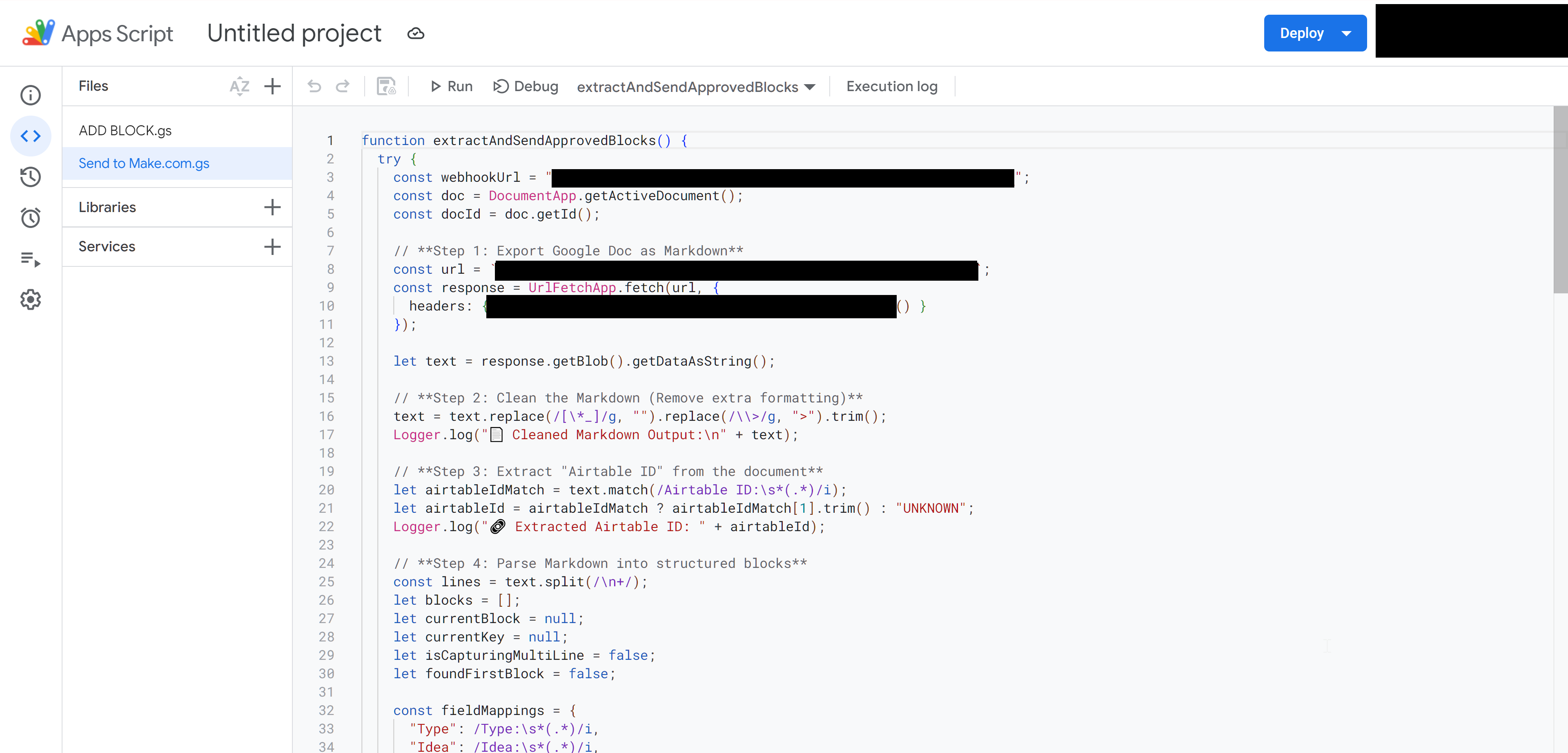
Google Apps Script — parses approved blocks and posts to Make.com
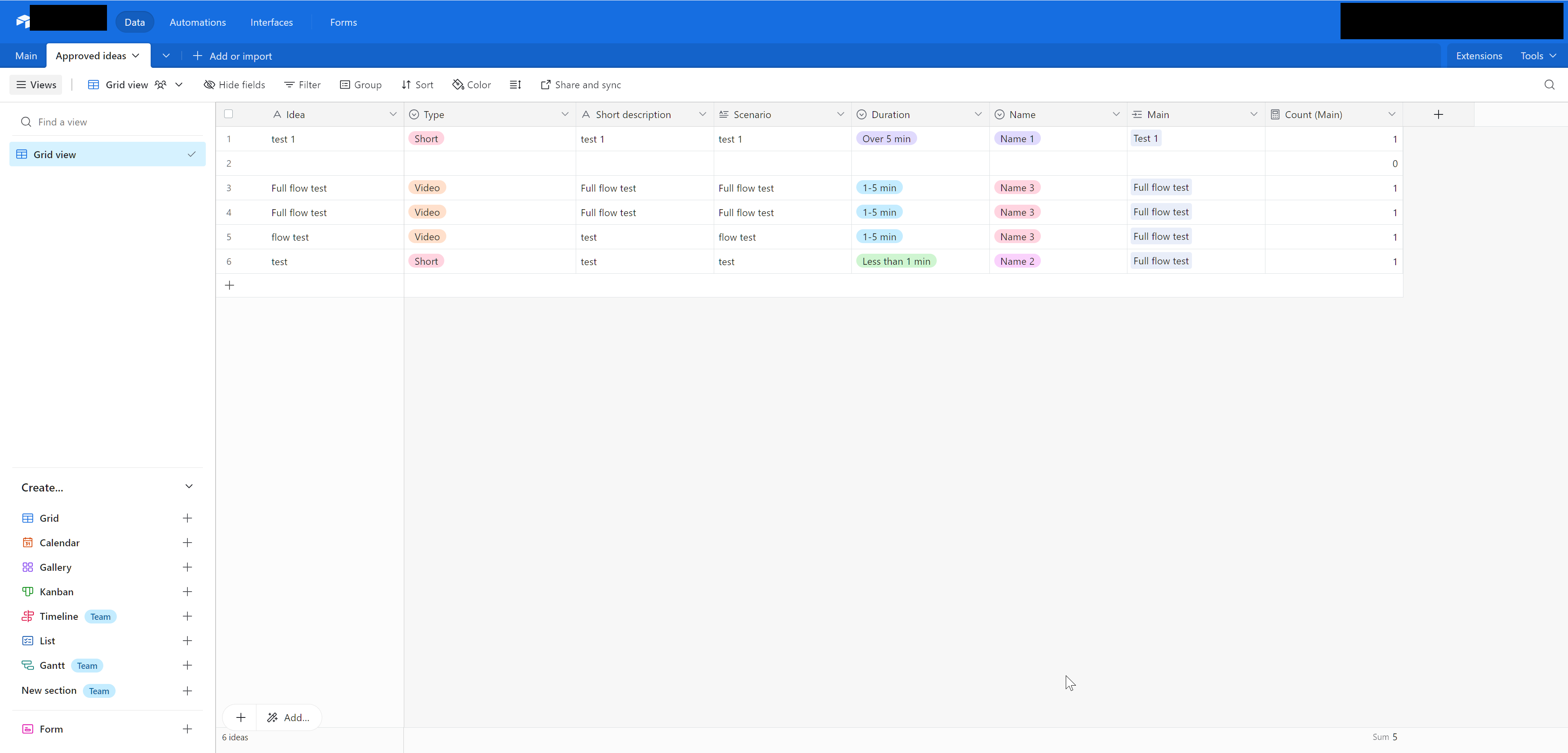
Airtable Approved table — the loop closes back to structured records
Need data ↔ documents ↔ data flowing automatically?
The same closed-loop pattern applies to insurance application processing, claims forms,
underwriting documents, and any structured paperwork that needs to flow out of a database,
get reviewed, then flow back as approved data — with custom scripting where no-code falls short.