🎯 The Challenge
Before this system, quotes and BOMs were being built manually in documents and spreadsheets. Copy-paste across tools caused errors and ate up hours. Data drifted between deals, items, and customer records — and nobody had a clean view of which quote belonged to which deal, or whether the totals were right.
Goals:
- Automate quote creation directly from the Deals pipeline
- Ensure accurate tax and total calculations every single time
- Generate BOM files in seconds, on demand
- Keep all data synchronized across multiple Monday.com boards
🧩 The Solution
Five interlinked Monday.com boards — Deals, Quote Generation, Item Management, BOM, and Customer — tied together with relations and mirror columns so every quote and BOM stays connected to the right deal and customer. Make.com handles the document generation, calculations, and OneDrive integration in the background.
01
Interlinked Monday.com boards
Five boards working as one system:
- Deals / Opportunities — the pipeline
- Quote Generation — where each quote is built
- Item Management — the product/service catalog
- BOM — the bill-of-materials records
- Customer — the buyer record everything ties back to
02
Quote automation from the Deals board
When a deal is moved to a specific group (e.g. Create Quote), a
Monday automation creates a linked item in the Quote Generation board and pulls
in all relevant deal and customer data — no manual setup required.
03
One-click quote creation
In the Quote Generation board, users add line items as subitems (pulled from
Item Management). A Create Quote button triggers a Make.com
scenario that:
- Fills a predefined quote template
- Calculates line totals, subtotals, tax, and grand total
- Generates the quote file (PDF/Doc)
- Saves to OneDrive and attaches the file back to the Monday.com item
04
Automated BOM generation
The Item Management board is connected to the BOM board. A
Create BOM button triggers a separate Make.com scenario that
collects all required item data, builds a structured BOM file with every needed
field, stores it on OneDrive, and links it back to the relevant deal and quote.
05
Supplier quote parsing
Optional
A separate Make.com scenario parses incoming supplier quotes and maps them into
the system, enabling side-by-side comparison of internal quotes vs supplier
pricing and automatic BOM updates when supplier data changes.
🛠 Tools & Stack
Workflow & data
Monday.com — boards, relations, mirrors, automations, file columns
Orchestration & doc generation
Make.com (Integromat) — calculations, templating, file creation
File storage
OneDrive — secure storage for generated quotes & BOMs, with links back to Monday
📈 Results & Impact
- Quotes and BOMs in seconds — regardless of the number of line items, the document generates from a single click instead of hours of manual work.
- Calculation errors eliminated — built-in totals, subtotals, and tax math run consistently every time, no human arithmetic involved.
- Scales without effort — the system supports high deal volume and large catalogs with no additional setup per quote.
- Better visibility for sales & ops — all quotes and BOMs remain linked to deals, items, and customers inside Monday.com, so anyone can see the full picture.
🖼 Screenshots
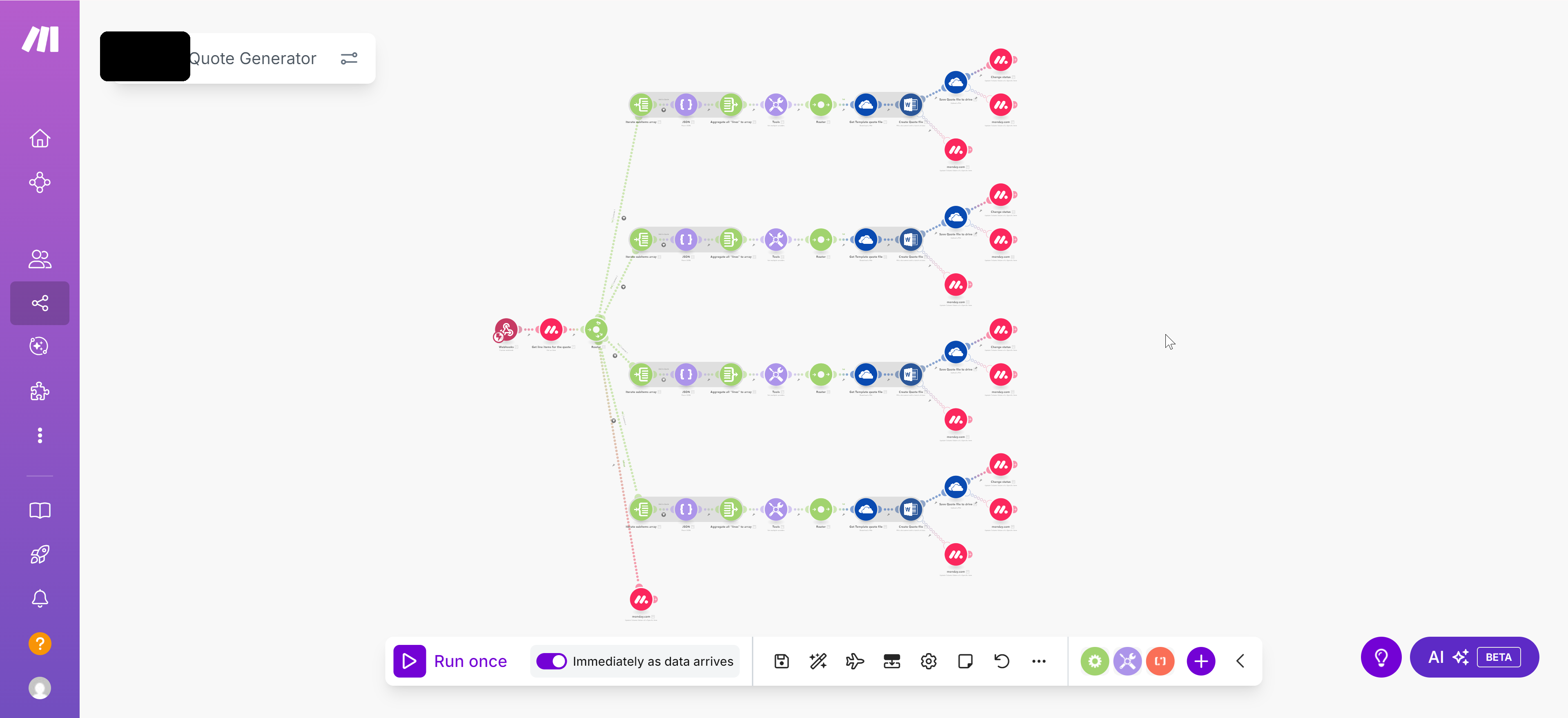
Quote Generation scenario — the Make.com flow that builds each quote
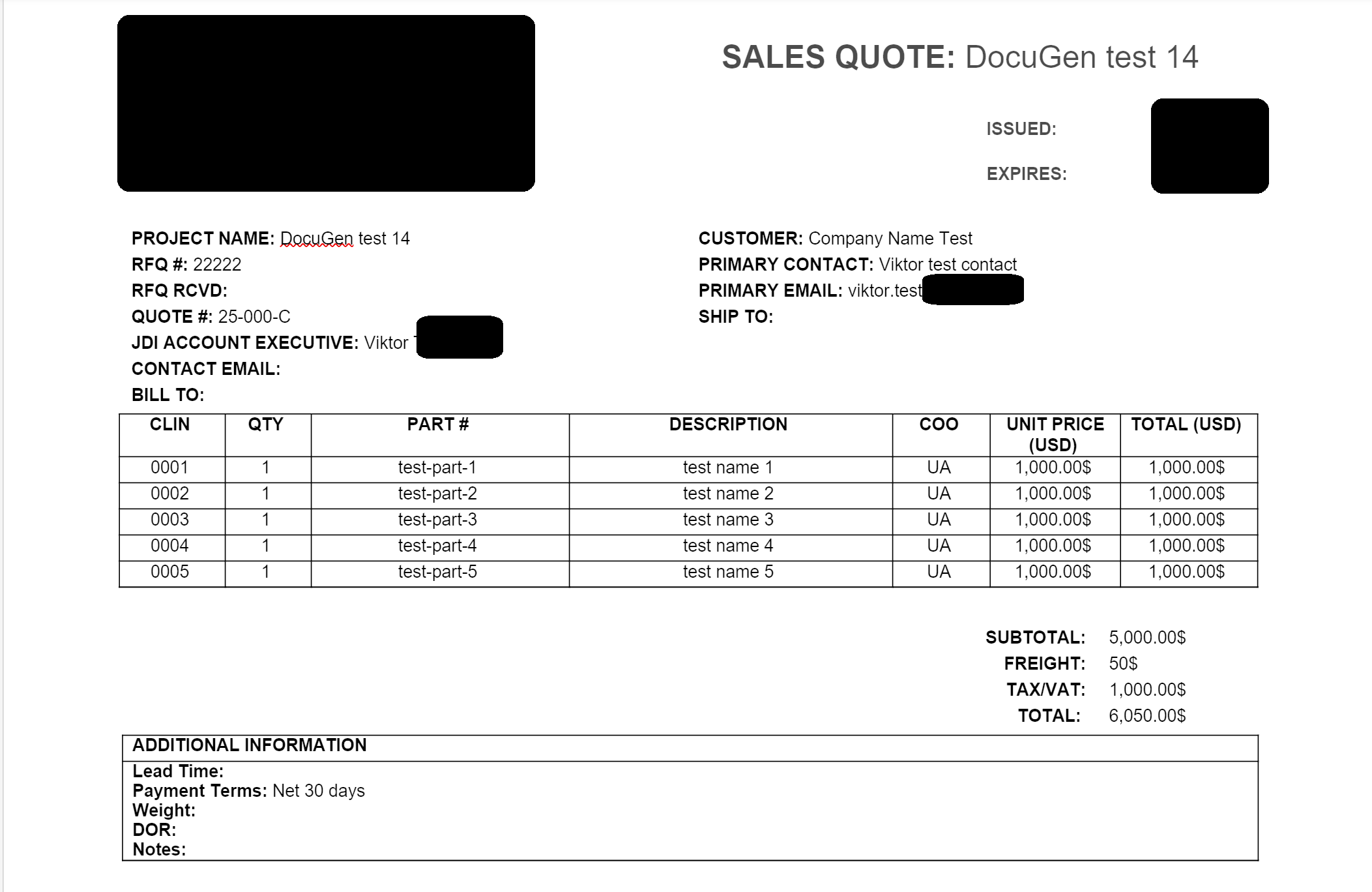
Generated quote file — line items, totals, and tax all auto-filled
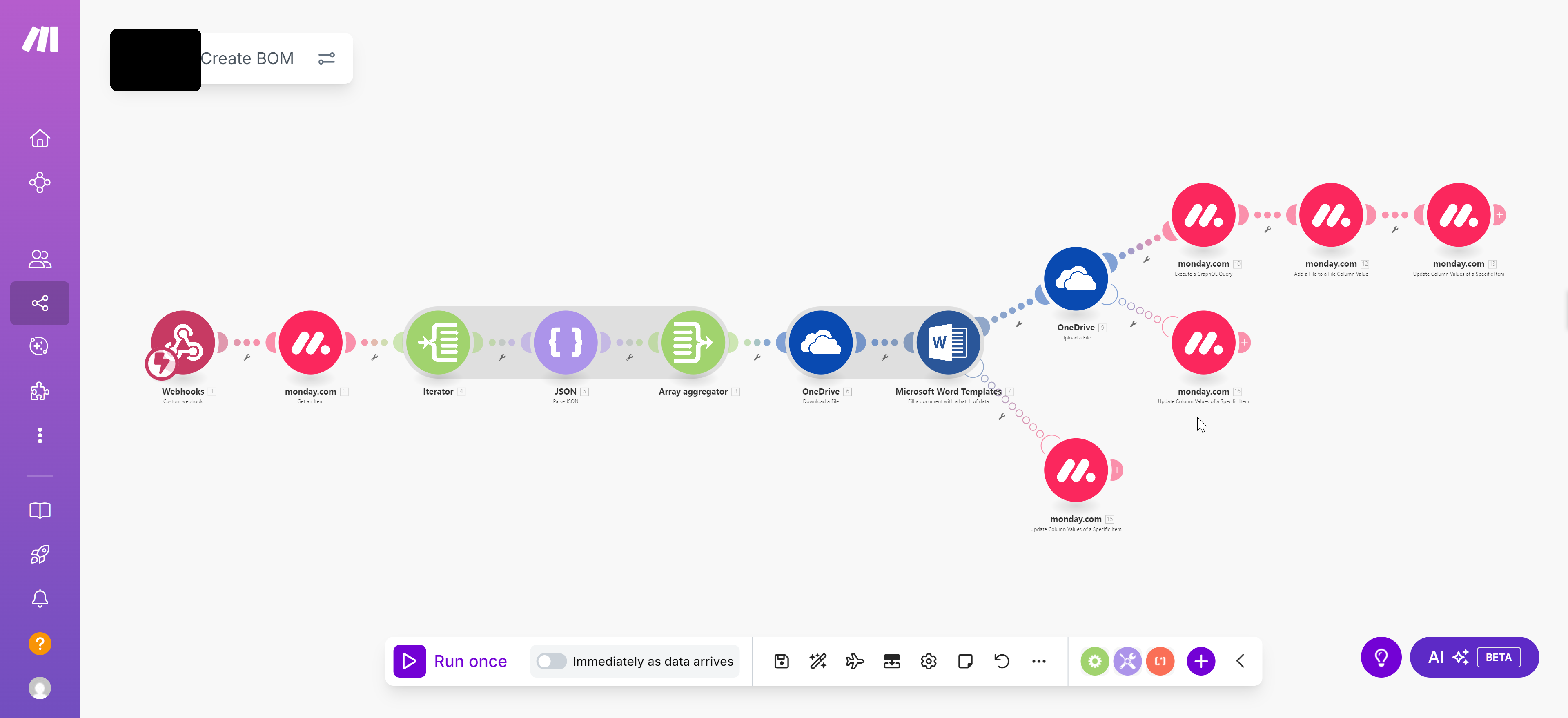
BOM Generation scenario — Make.com flow for bill-of-materials files
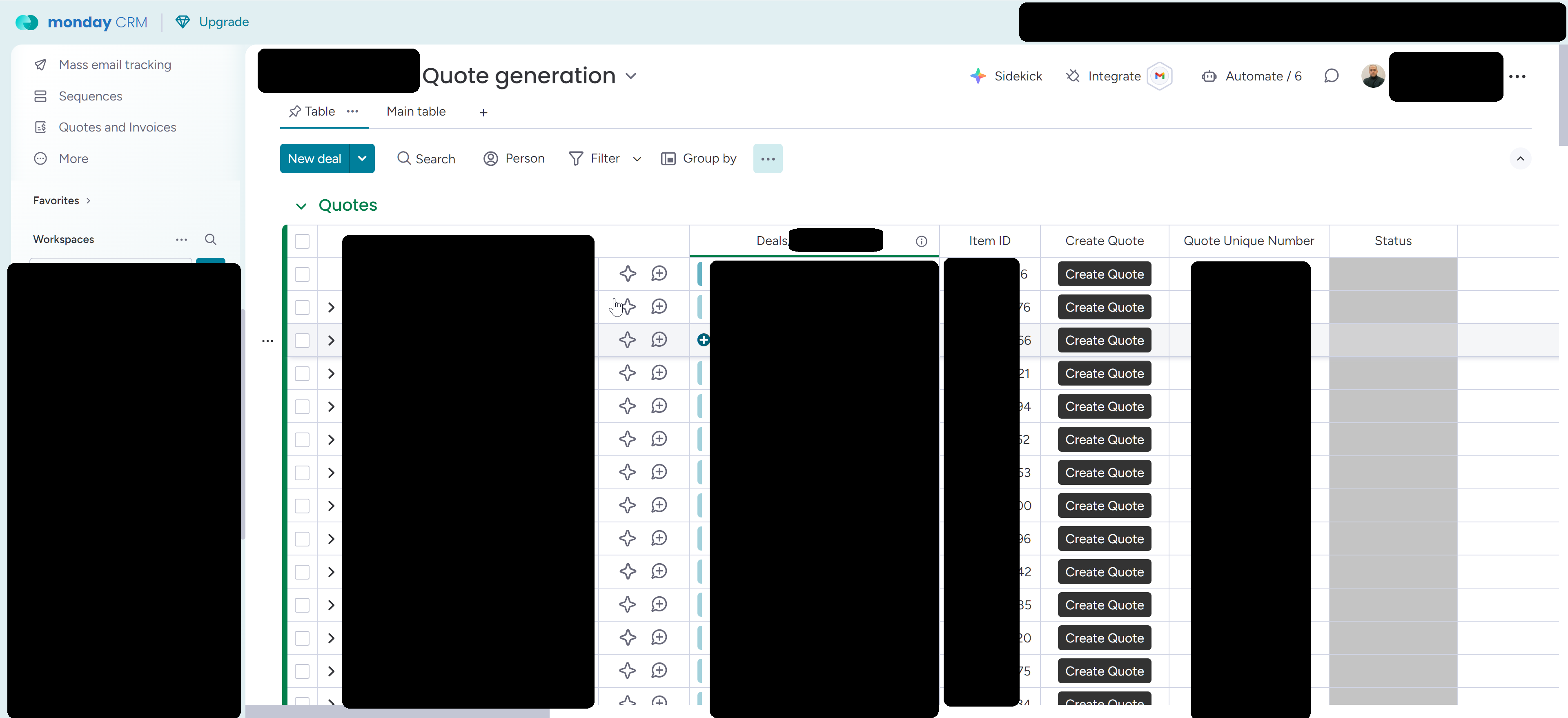
Quote Generation board in Monday.com — quote items as subitems
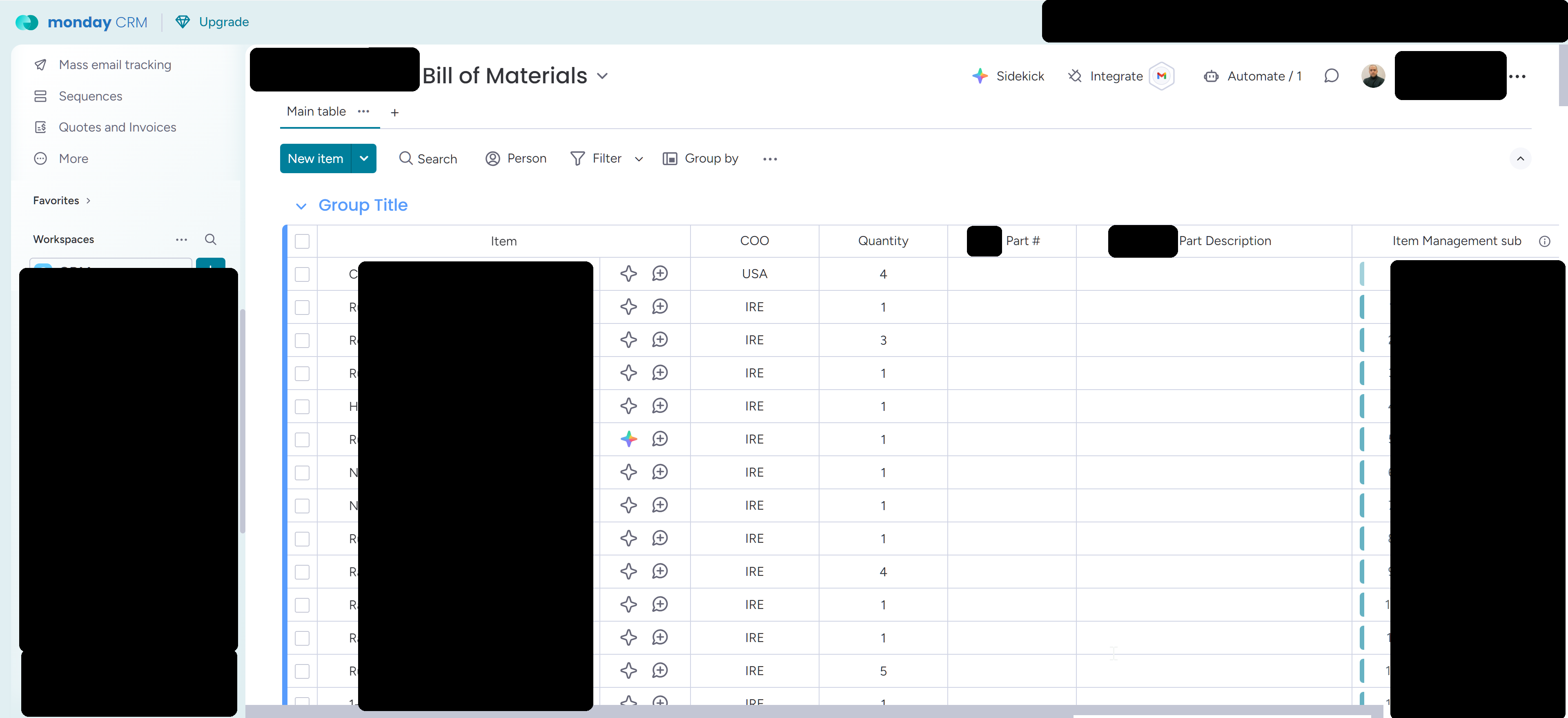
BOM Generation board — items linked back to deals and quotes
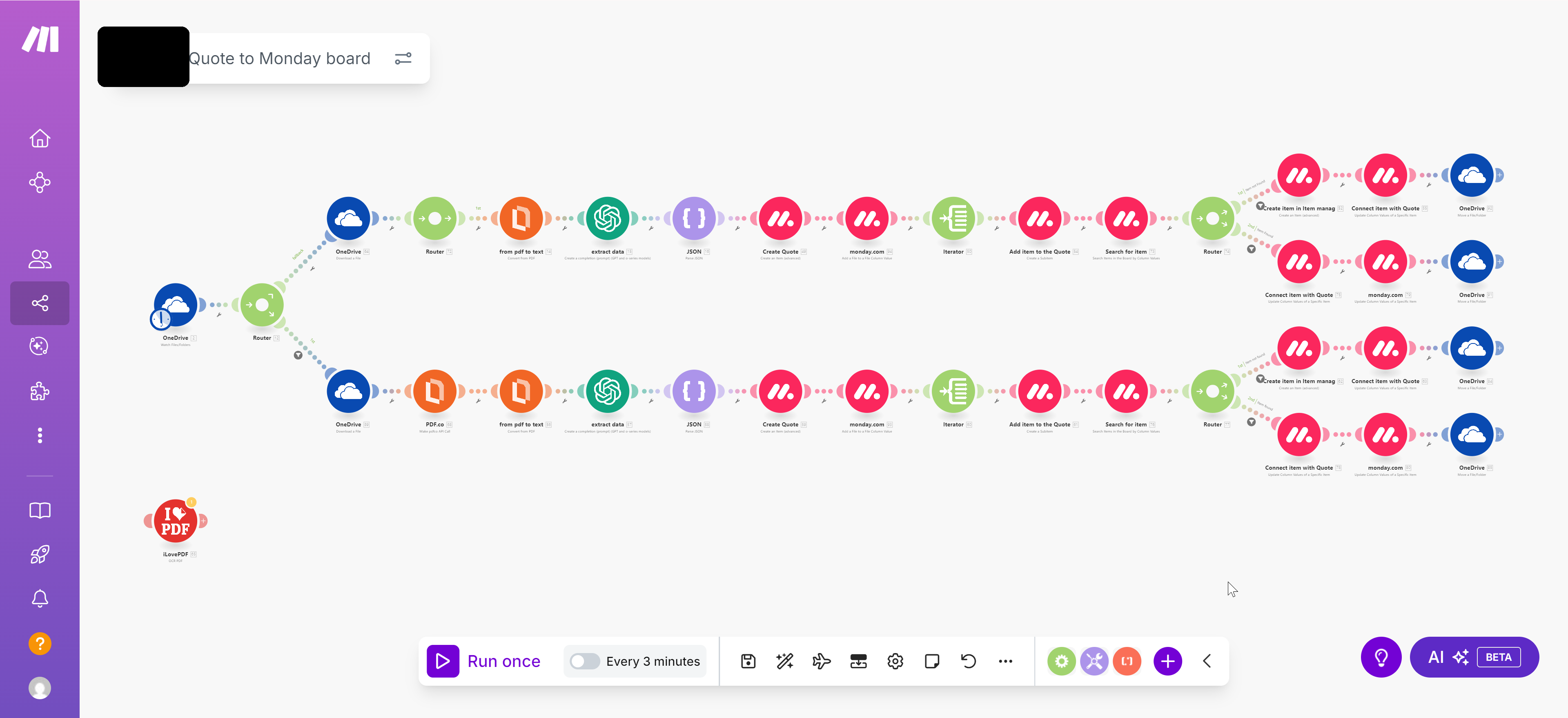
Supplier quote parsing scenario — mapping supplier data into the system
Need quotes, BOMs, or documents auto-generated from Monday.com?
The same pattern applies to policy declarations, certificates of insurance, proposals,
contracts, and any structured document your team generates repeatedly — built directly
on Monday.com with Make.com.